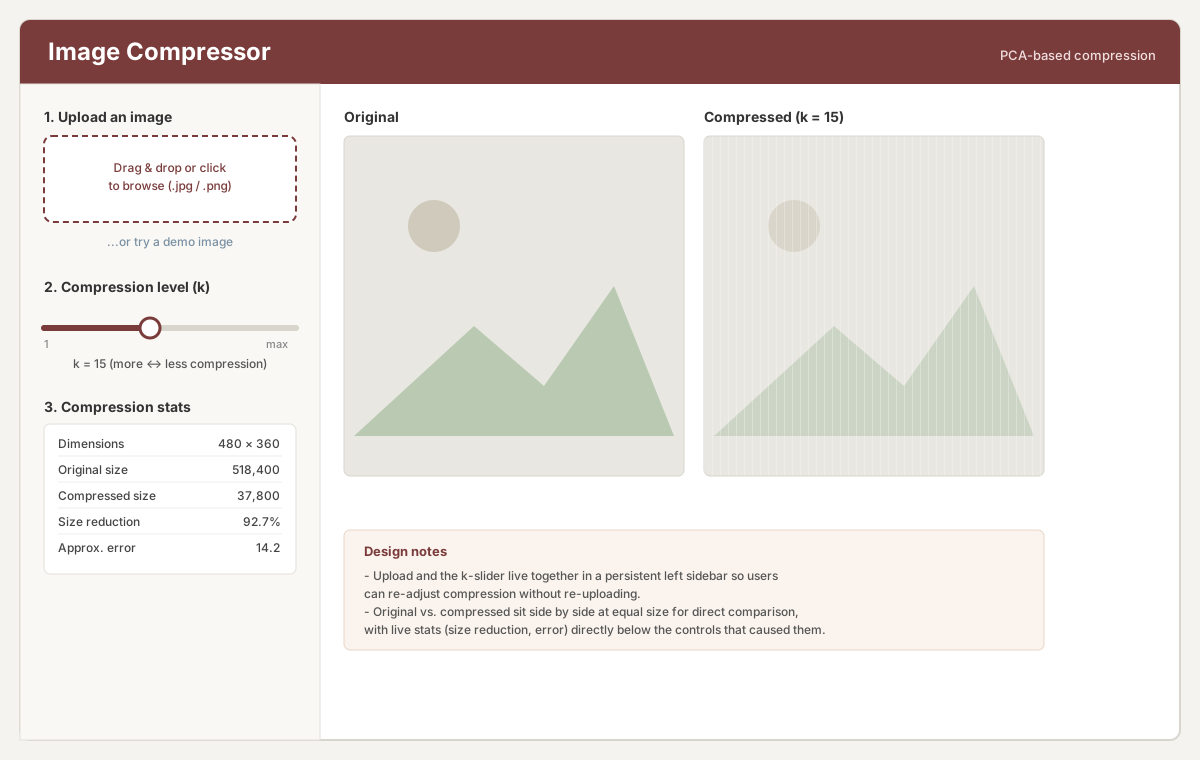
Sketching out an app that lets someone upload an image, pick a compression level k, and see the
compressed result next to the original.
Mockup of the app layout.
Why I laid it out this way
Sidebar stays put. I put upload, the k slider, and the stats all in one column on the
left so you can keep dragging the slider around without losing your place or having to reupload
anything.
Numbered top to bottom. Upload, then pick k, then read the stats.
Original and compressed side by side, same size. I didn't want to make people flip
between two views to judge quality, so both images sit next to each other at identical size.
Stats live right under the slider. Size reduction and error update in the same spot
you just touched, so the difference between k and quality changes as you drag.
Demo image link. It just makes it easier for someone to see what the app does before
uploading a photo.